
Budget & payments
Budget reads what you chose in Vendors & venue and what your guests replied, so the numbers are never typed twice. Payments are tracked per vendor, with due dates.
Totals that filter
FreePlanned, chosen, paid and still to pay, one click from the items behind them.
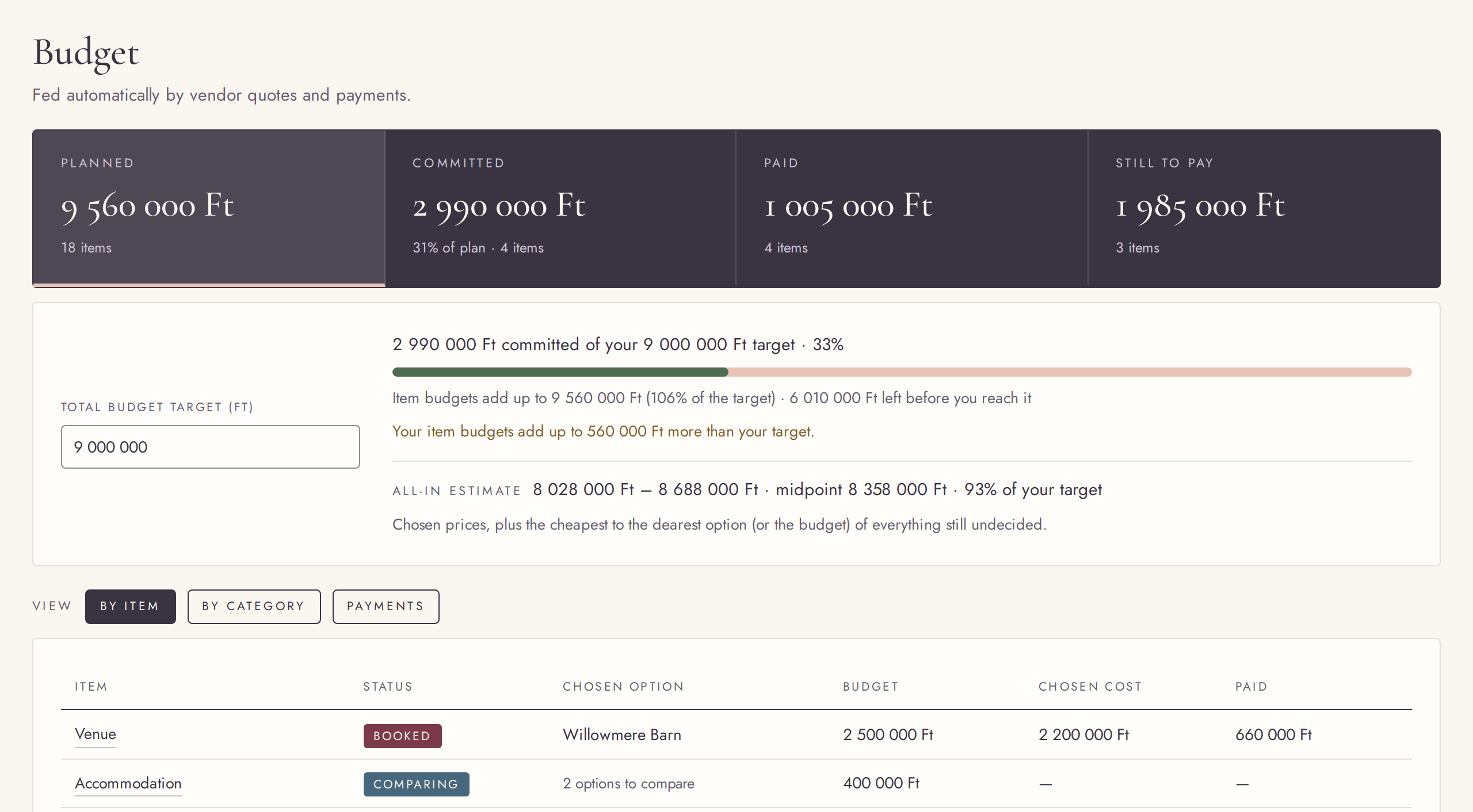
Budget sums up what you planned, what your chosen options cost, what is paid and what is still to pay. Click a total to see the items behind it.
Try it in the demo →By item or by category
FreeOne row per vendor, or grouped by category.
See the budget per vendor, with the chosen option or the options still to compare, or grouped by category with every group able to open and close. Anything over its budget stands out.
Try it in the demo →A budget that follows your choices
FreeChange a quote or a reply, and every total updates.
The budget is never typed twice: it reads your vendors’ options, choices and payments. Per-person prices use your guest estimate until the first guest says yes; from then on they count everyone who has not declined, adults and children apart.
Try it in the demo →A total budget target
FreeSet the amount you want to stay within; Home tells you if the plan goes over.
Type your overall budget once. Budget measures the plan against it, and Home shows a calm warning if the plan goes over. Clear it again any time.
Try it in the demo →Payment schedules
FreeDeposits and instalments per vendor, with due dates and what is paid.
For every vendor, list its payments with an amount, a due date and a paid tick. Paid amounts feed the totals, and payments coming up appear as suggestions in your to-dos.
Try it in the demo →Your currency
FreePlan in one of 13 currencies, with amounts grouped the way you read them.
Choose the currency you plan in, from forints and euros to pounds and dollars, and amounts are shown in its format everywhere. Switching never converts what you typed. Large numbers are grouped as you type them.
Try it in the demo →An all-in estimate
FreeA min–max range for the whole wedding, counting vendors not chosen yet.
Next to the target, Budget estimates the whole wedding as a range, counting the quotes of vendors you have not chosen yet, and shows its midpoint against your target.
Try it in the demo →Every open payment in one list
FreeAll upcoming payments across vendors, by due date, with the total.
The Payments view, at its own address in Budget, lists every open payment across all vendors by due date, marks what was due or is due soon, totals what is still open, and lets you tick one paid.
Try it in the demo →An exact guest number
FreeKnow the exact number? Per-person prices use it until the first yes comes in.
Next to the guest range, give the exact number you expect. Per-person prices use it until the first guest says yes; after that they count everyone who has not declined.
Try it in the demo →