
Design Studio: wedding website & printables
The Design Studio builds your wedding website and printables from what you planned, in the template you chose. Designing and previewing are free; publishing the website and downloading print-ready PDFs are Premium.
One style for everything
Free5 templates that restyle your website and every printable at once.
Pick a template, Blush Romance, Classic Midnight, Industrial, Garden Botanical or Golden Hour, and your wedding website, invitations and every printable follow it. Switch any time; nothing you wrote is lost.
Try it in the demo →Design everything free
FreeEvery design opens with your own names, date, tables and menu.
Every design in the Design Studio is free to open, edit and preview with your own wedding. Premium is only needed to publish the website and download print-ready PDFs.
Try it in the demo →A photo library
FreeUpload your photos once and use them on the website and the cards.
Add photos to your library, give them a label, and pick them for the cover, the gallery, your story or the thank-you cards. Photos stay private until your website is published.
Try it in the demo →Your wedding website
FreeBuilt from your plan: the day, the venue, your story, the gallery and a countdown.
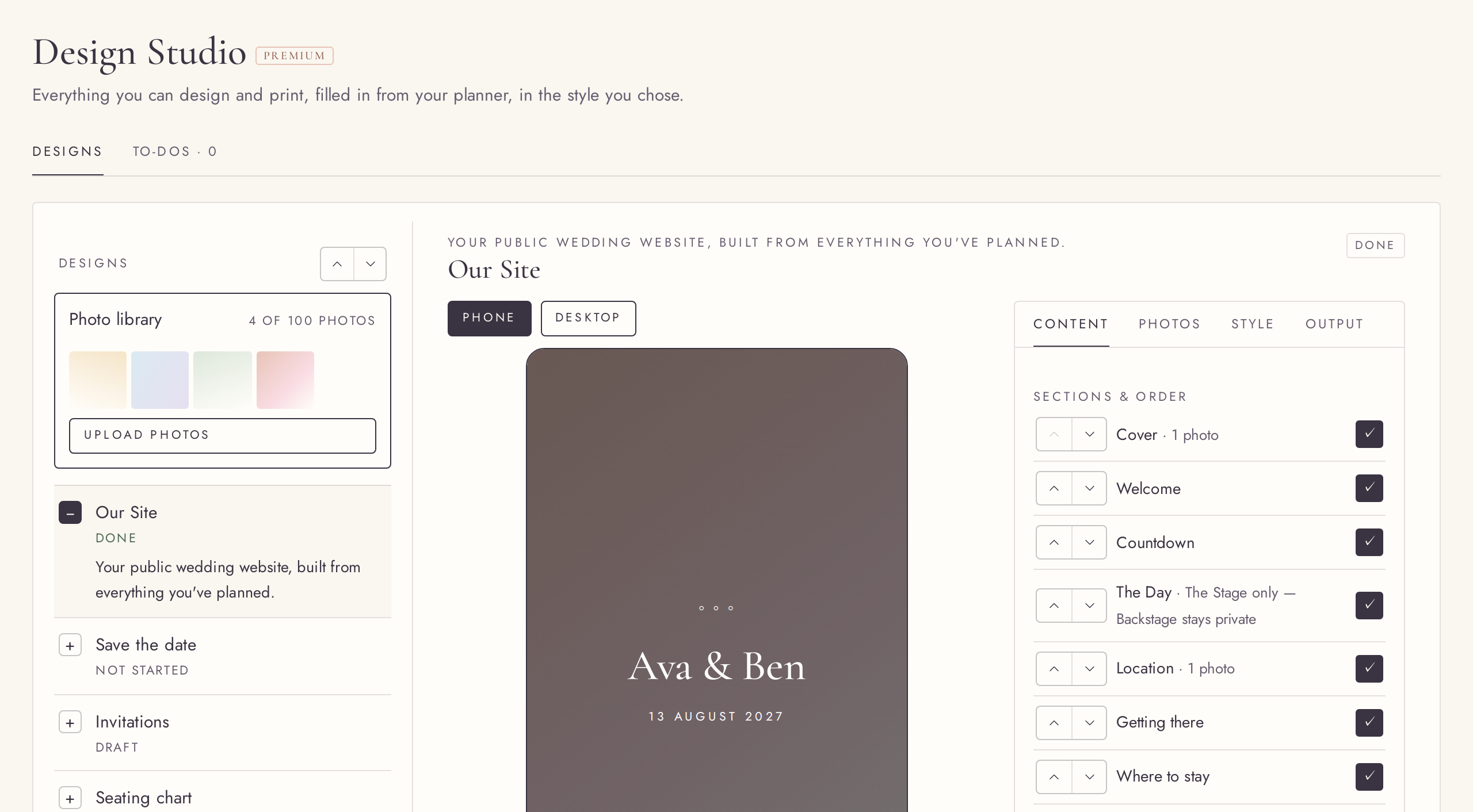
Our Site turns what you planned into a wedding website. Switch sections on or off and change their order, write your welcome, story and dress code, and choose whether guests read it in English or Hungarian. The preview is the real site, on a phone or a desktop. Only the Stage moments of your plan are shown.
Try it in the demo →Publish your website
PremiumPut Our Site online with its own link, and take it down again whenever you like.
Publish and your guests can open the website at its own link; copy the link to share it. Unpublish and it is gone at once. Guests see only what the preview shows, never your private notes.
Try it in the demo →9 printables, filled in from your plan
FreeSave the date, invitations, seating chart, menu, name cards, table numbers, welcome sign, order of the day and thank-you cards.
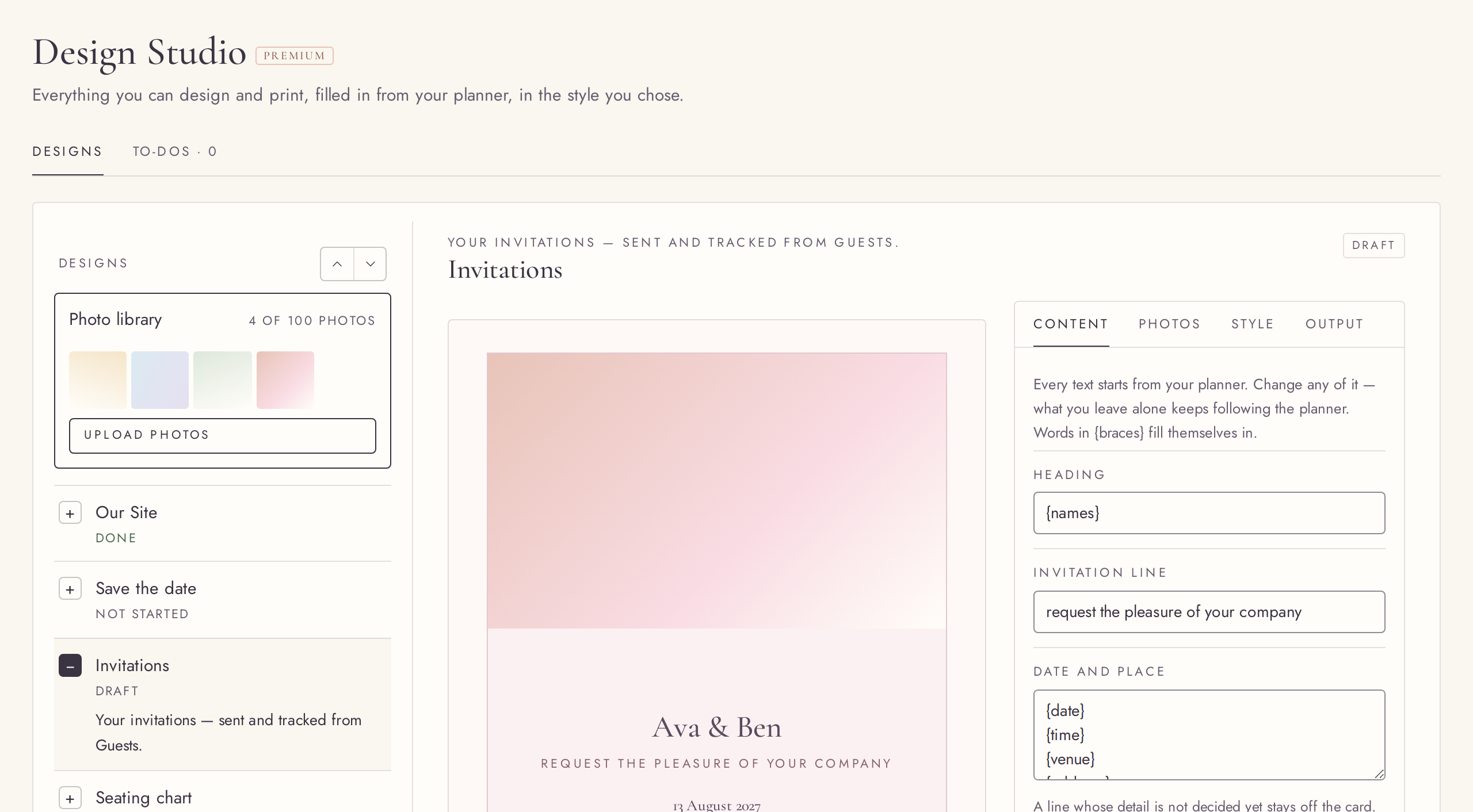
Each printable is already filled in: the seating chart from your tables, name cards from the seat planner, the order of the day from your Stage moments, the menu from your caterer. Choose the paper size where there is a choice, and preview every page.
Print-ready PDFs
PremiumDownload any printable as a PDF, ready for the printer.
Download a print-ready PDF of any printable, one page per card where it should be, such as a name card for every guest. Before you download name cards, Nupty lists anyone still without a name.
Try it in the demo →Your words, with the details filled in
FreeEdit any text; names, date and venue fill themselves in.
Every text block can be changed. Write {names} or {date} and the planner fills them in from your details, so a change there shows everywhere. Reset brings back the original wording.
Try it in the demo →Who goes on the seating chart
FreeChoose whether guests still waiting to reply are printed.
By default the seating chart and name cards include guests who have not replied yet and leave out those who declined. Switch it so only the guests who said yes are printed.
Try it in the demo →The invitation email, in your words
FreeWrite the email and the short text message your guests receive.
The invitation design holds the wording of the email and of a short text message, with a preview of the email. Sending happens from Guests, with each guest’s own RSVP link.
Try it in the demo →A peek on Home
FreeYour designs on Home, with your names and your template.
Home shows a carousel of your designs as they look right now, with their status. Click one to open it in the Design Studio.
Try it in the demo →Design Studio to-dos
FreeWhat is left to design or print, in its own tab.
The Design Studio has its own To-dos tab, with suggestions such as publishing your website and the to-dos you add.
Try it in the demo →Save the date
FreeA save-the-date of its own, with its own words and photo.
Announce the date early with a save-the-date card, designed and worded apart from the invitation that follows.
Try it in the demo →A QR code to your website
FreeDownload your website’s QR code, or print it on the cards.
Once your website is published, download its QR code, or tick it onto the save-the-date and the invitation so guests can scan their way to it.
Try it in the demo →A6, A5, DL and 5×7 in cards, portrait or landscape
FreeEvery card size you know, and landscape for every card with a paper choice.
Save-the-dates, invitations, menus and thank-you cards come in A6, A5, DL and 5×7 in, and every printable with a paper choice can be landscape.
Try it in the demo →Your own accent colour
FreeOne accent colour of your choosing for the website and every printable.
Pick an accent colour, or keep the template’s own. Decorations use it as chosen; text in it is shaded so it stays readable on the template’s background. One click brings back the template’s colour.
Try it in the demo →A new link for your website
FreeChange the website’s address; the old link stops working.
If the link went further than you wanted, give the website a new address. The old one stops working at once.
Try it in the demo →Search engines: your choice
FreeYour website stays out of search results unless you allow it.
By default search engines are asked not to list your website. Switch it on if you want it to be found.
Try it in the demo →Icons and vendor names on The Day
FreeThe day on your website with moment icons, and vendor names if you like.
The Day section on your website shows each moment’s icon, and, once switched on, the name of the vendor you chose for it. Never a price or a contact.
Try it in the demo →Download all printables
PremiumEvery printable you started, as PDFs in one go.
Download a PDF of every printable you have started with one button.
Try it in the demo →Getting there, where to stay, and an RSVP note
FreeDirections, accommodation and a note for the reply page, in your words.
Add how to reach the venue, where guests can stay, and a note shown above the RSVP form. Empty sections stay hidden.
Try it in the demo →