
Vendors & venue
Vendors & venue keeps every vendor you are considering together with its quotes, your ratings, the details that matter and what is still to decide.
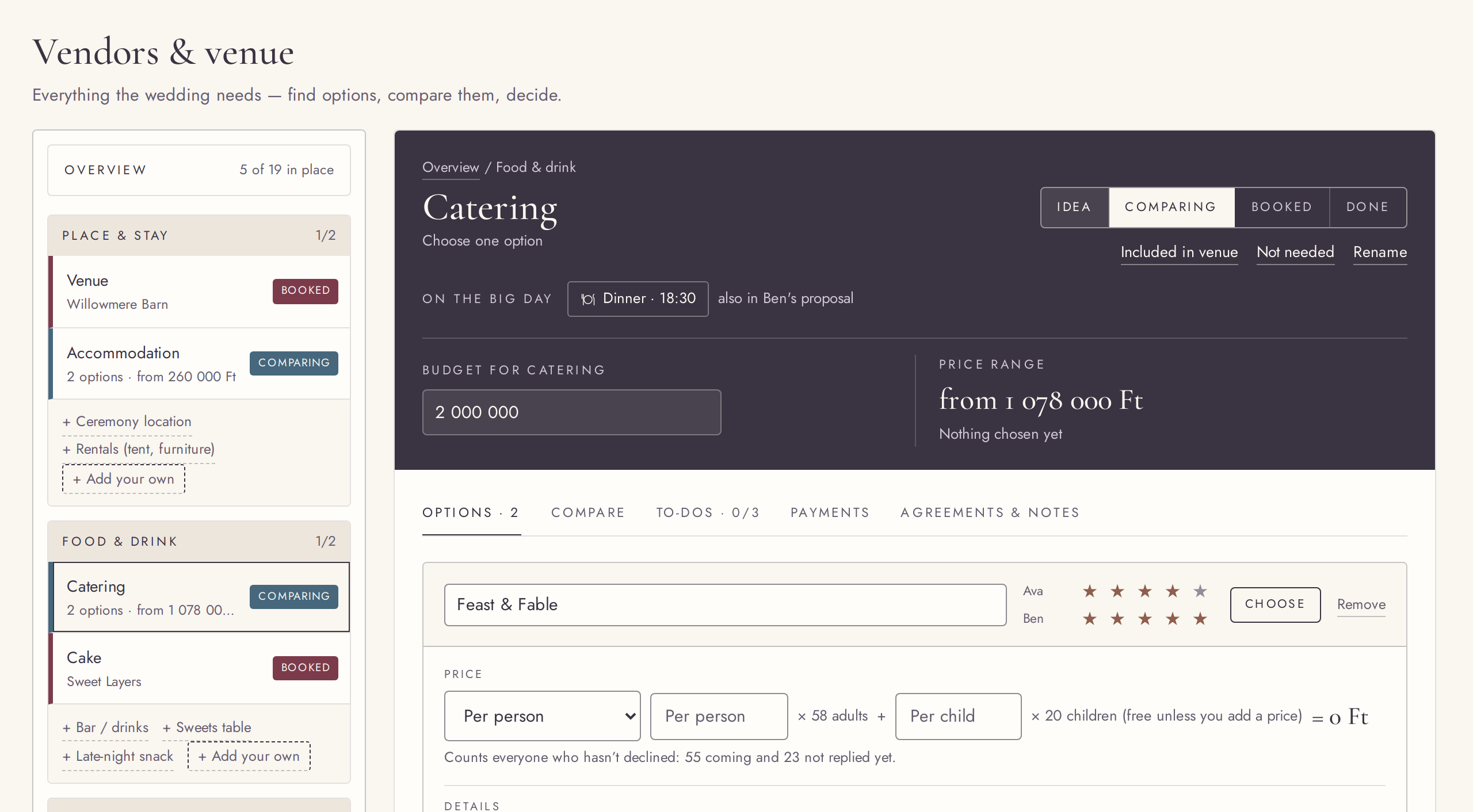
Every vendor in eight categories
FreeFrom the venue to the cake, with suggestions you add in one tap.
Vendors & venue lists what most weddings need in eight categories, with the essentials already added. Suggestions sit beside them; one tap adds one. Anything else, add as your own item.
Try it in the demo →An overview of what is still open
FreeWhat is booked, what is still open, and how many options each has.
The overview sums up your vendors: how many are booked or done, what is chosen and what is paid. “Still open” lists the vendors not in place yet, in category order, with their option counts.
Try it in the demo →A status for every vendor
FreeIdea, comparing, booked, done, or not needed.
Step each vendor from an idea to done. Mark one “Not needed” and it leaves your progress and budget. Booking gets a quiet confirmation, and the status shows the same everywhere in the planner.
Try it in the demo →Options and quotes
FreeCollect every quote with its price, contact, website and notes.
Add each offer as an option: a fixed price, a price per person, or both, with a separate price for children. Note the contact, the website and the details that matter for that category, such as capacity for a venue or hours for a photographer.
Try it in the demo →Stars from each of you
FreeBoth partners rate every option, one to five.
Each option has a rating per partner, labelled with your names, so you can see at a glance where you agree.
Try it in the demo →Choose, then book
FreeMark the option you are going with; it feeds the budget and the day.
Choose an option and it becomes the price in your budget and the vendor on your timeline. Some categories, such as accommodation, can have more than one chosen. Choosing never books for you: you set Booked when it really is.
Try it in the demo →What the venue includes
FreeTick what comes with the venue, and those vendors are covered.
If the venue includes catering, accommodation, décor, music or the tables, chairs and tent, tick it on the venue’s option. Once that venue is chosen, those items show “In venue” and drop out of the costs you still need to cover.
Try it in the demo →Compare options
FreeEvery option of a vendor in one table: totals, ratings and details.
The Compare tab lines up a vendor’s options: the total for your guest count, the lowest price, how each sits against your budget, both ratings and the details you noted. Choose straight from the table.
Try it in the demo →Where the vendor is on the day
FreeEach vendor shows the moments it is part of.
A vendor’s page lists its moments on the Big Day, in time order; one click opens that moment.
Try it in the demo →To-dos for each vendor
FreeKeep the next step for a vendor on the vendor itself.
Each vendor has its own To-dos tab. Payments that are coming up appear there first as suggestions, next to the to-dos you add yourself.
Try it in the demo →When to book what
FreeA planning guide that says how far ahead each vendor is usually booked.
Questions & guides groups the vendors by how early couples usually book them, with chips that open each one, and answers the questions couples ask most.
Try it in the demo →Agreements and notes
FreeA dated log of what you agreed with each vendor.
Each vendor keeps a log of agreements and notes, newest first, with dates. Option notes keep their line breaks.
Try it in the demo →Payments checked against the price
FreeA note when the payment schedule does not add up to the chosen price.
If a vendor’s payments add up to more or less than the chosen option costs, the Payments tab says so.
Try it in the demo →Your own names, and delete what you added
FreeRename any vendor item; delete one you added by mistake.
Give any item your own name, or go back to the original. Items you added yourself can be deleted, with an Undo.
Try it in the demo →