
Seating & floor plan
The seat planner turns your replies into a seating plan: pick a name, pick a seat, and arrange the tables in the room. It works on a phone too.
Tables your way
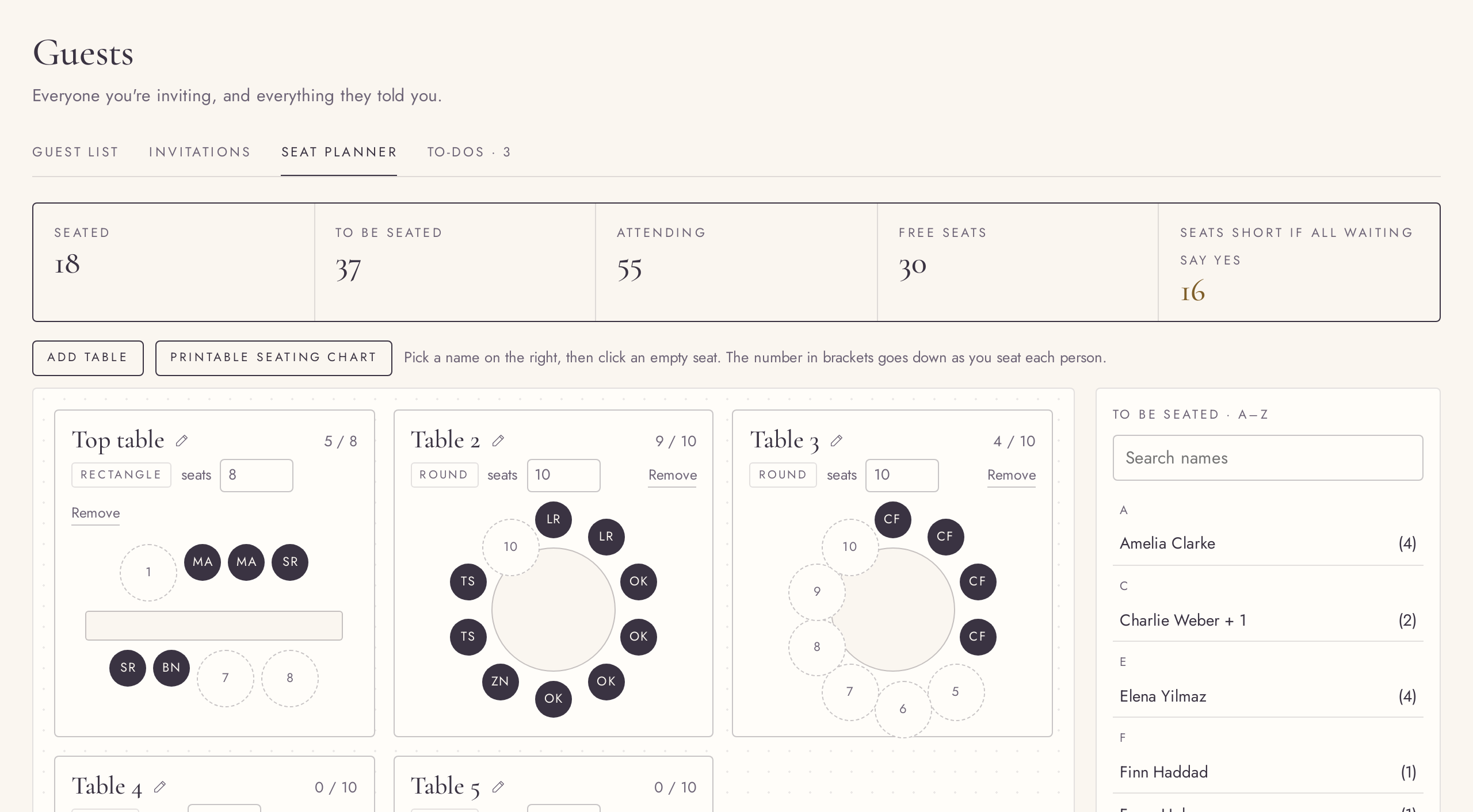
FreeRound or long tables from 2 to 24 seats, named as you like.
Add tables, rename them, switch between round and rectangle, and set the number of seats from 2 to 24, enough for a banquet row. Removing a table shows an Undo that brings it back with its guests.
Seat guests with two clicks
FreePick a name, then a seat.
Pick a name from the A–Z list and click an empty seat; the list shows who is still to be seated, with a search. Seating is per person, so a family can share a table or sit apart. Click a taken seat to free it.
Try it in the demo →Seats counted in people
FreeComing, seated, still to seat, and the seats to spare.
The seat planner counts people, not invitations: how many are coming, how many are seated, who is left, and whether you are short of seats or have some spare.
Try it in the demo →A floor plan to scale
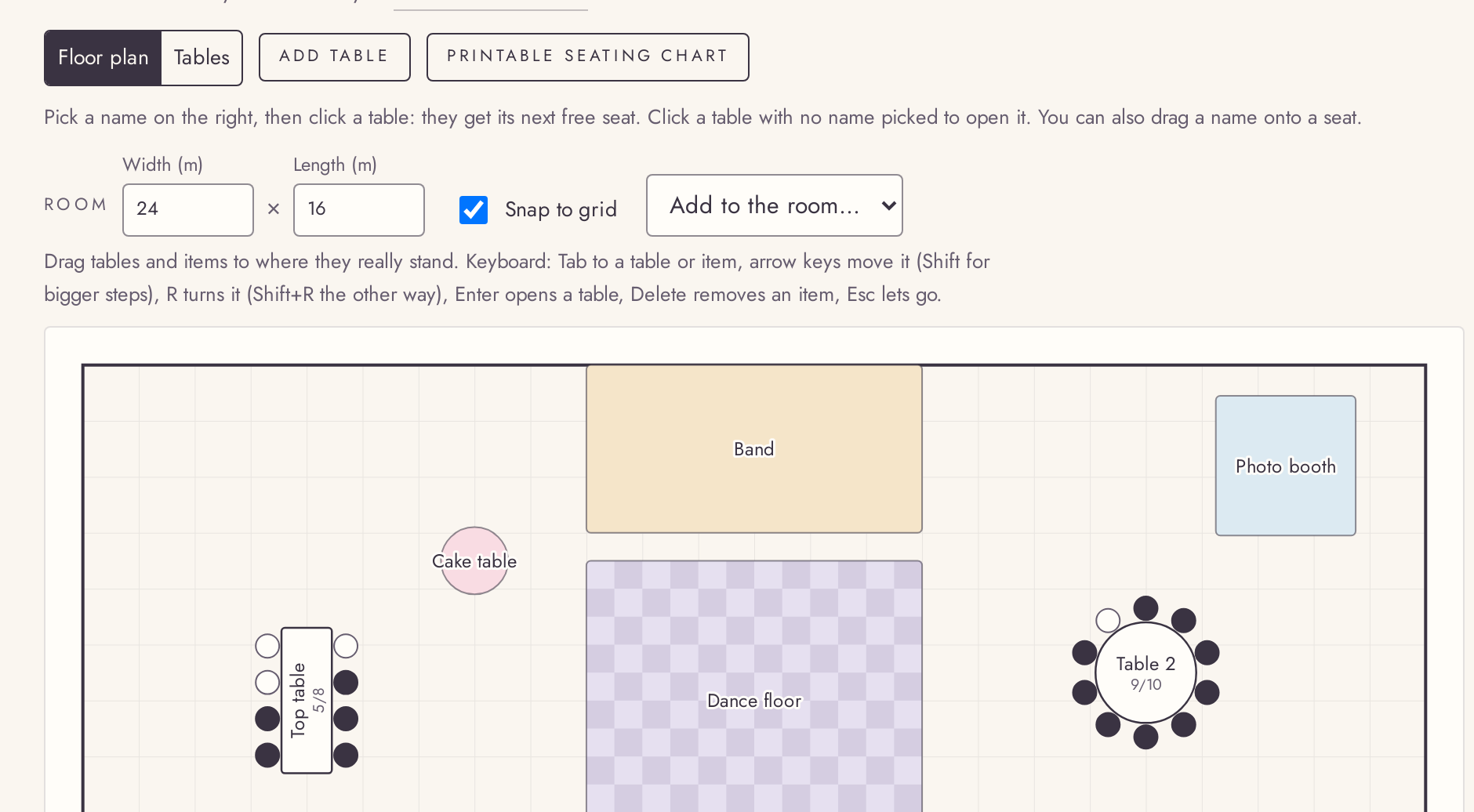
FreePlace tables, the dance floor and the stage in a room drawn in metres.
Switch to the floor plan and arrange the room: drag tables, turn them, add a stage, a dance floor or a bar, and resize them. It works with a keyboard too, and Undo puts back the last move. Seat guests right on the plan.
Try it in the demo →Ready-made layouts
FreeStart from a layout sized for your guests.
An empty seat planner offers ready layouts, round tables, long tables and mixes, sized from your replies or your guest estimate. Pick one and rename or resize the tables as usual.
Try it in the demo →Seats that follow the replies
FreeSeat anyone early; when someone declines, you are told.
You can seat guests before they reply. If a seated guest later declines, their seats stay until you decide, and a calm note offers to free them.
Try it in the demo →Seating on your phone
FreeNumbered table tiles you tap to open and fill.
On a phone the seat planner opens on the tables: each one is a numbered tile that shows how full it is. Tap one to open it and seat people from a list. The floor plan is one tap away.
Try it in the demo →Seat a whole invitation, or drag a name
FreeSeat a family in one go, or drag a guest onto a seat.
“Seat all together” puts everyone in an invitation at one table, with Undo. You can also drag a name from the list onto an empty seat or a table, and Undo takes that back too. Seating person by person stays the default.
Try it in the demo →